Day 62 - Terraform and Docker 🔥 (Jan 27, 2024)

🙏 Introduction:
In this blog, we will create a Terraform script to manage Docker containers and images, specifically focusing on setting up and running an Nginx container.
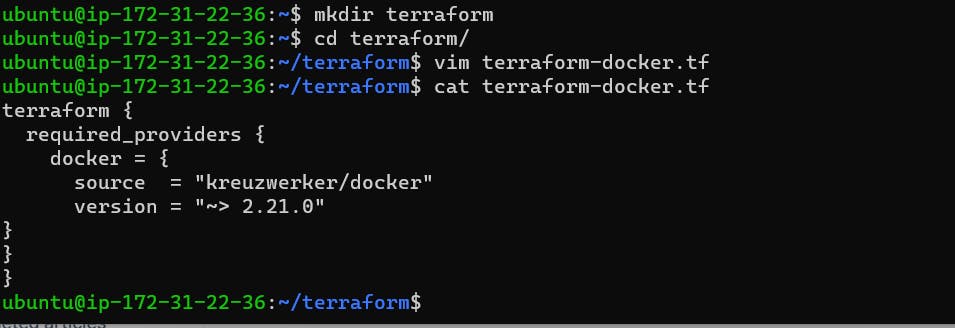
Terraform needs to be told which provider to be used in the automation, hence we need to give the provider name with source and version. For Docker, we can use this block of code in your main.tf
Terraform block
🎯Task: 1
terraform {
  required_providers {
    docker = {
      source  = "kreuzwerker/docker"
      version = "~> 2.21.0"
}
}
}
Note: kreuzwerker/docker, is shorthand for registry.terraform.io/kreuzwerker/docker
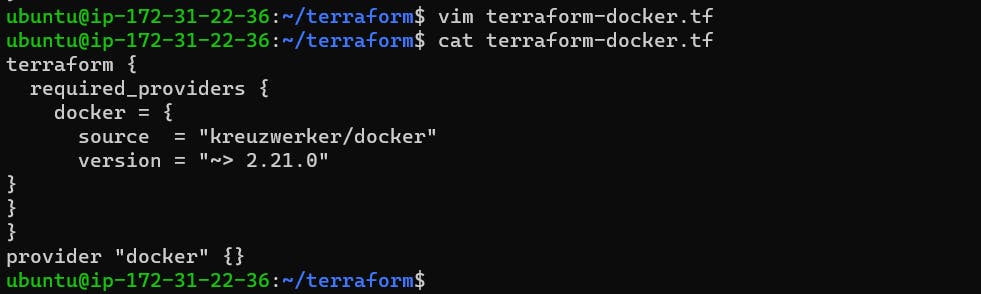
Provider Block
- The provider block configures the specified provider, in this case, docker. A provider is a plugin that Terraform uses to create and manage your resources.
provider "docker" {}
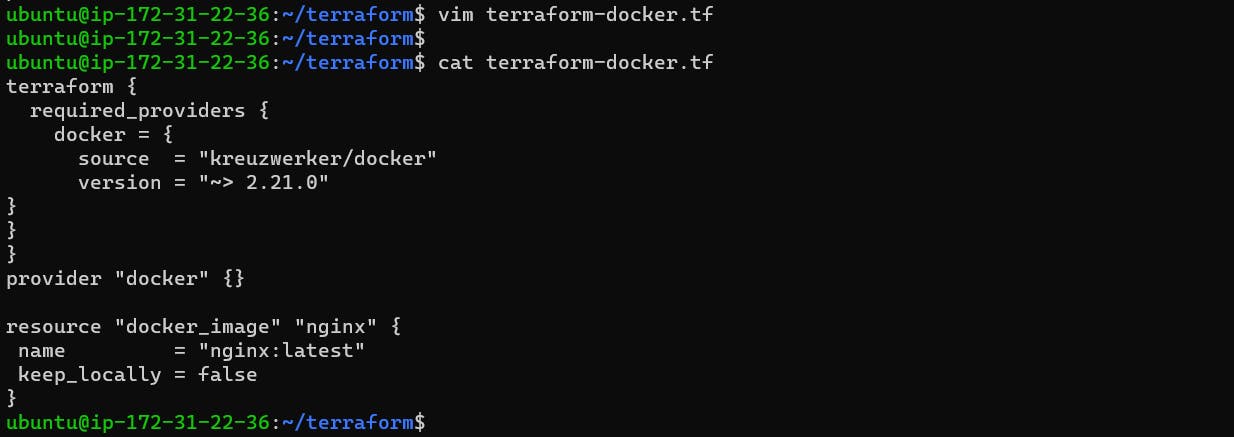
Resource
Use resource blocks to define components of your infrastructure. A resource might be a physical or virtual component such as a Docker container, or it can be a logical resource such as a Heroku application.
Resource blocks have two strings before the block: the resource type and the resource name. In this example, the first resource type is docker_image and the name is Nginx.
🎯Task: 2
resource "docker_image" "nginx" {
 name         = "nginx:latest"
 keep_locally = false
}
resource "docker_container" "nginx" {
 image = docker_image.nginx.latest
 name  = "tutorial"
 ports {
   internal = 80
   external = 80
 }
}
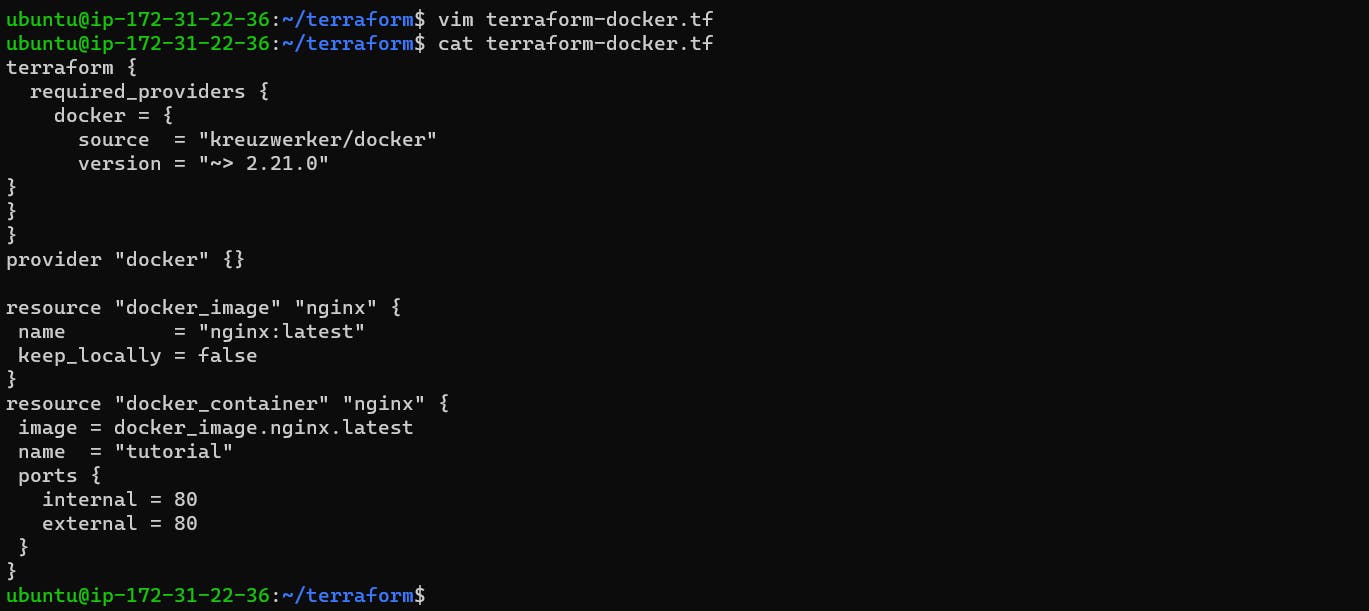
We have created terraform configuration file, now we will use the following Terraform commands to provision and manage our infrastructure
terraform init: Initializes a new or existing Terraform working directory by downloading and installing any required providers and modules, initializing the backend, and downloading any necessary plugins.
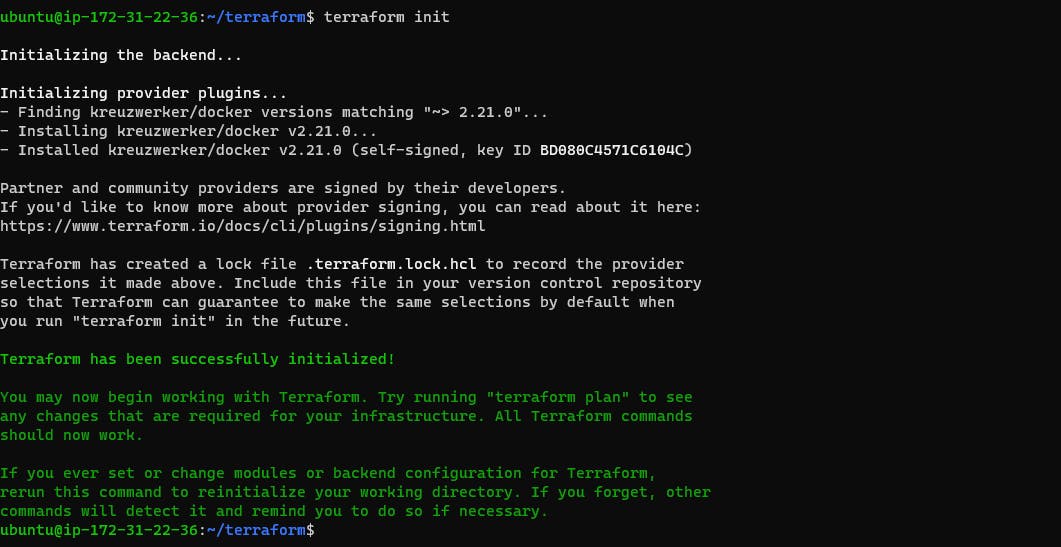
terraform plan: Generates an execution plan that shows what actions Terraform will take to reach the desired state specified in the configuration file. This command also reports any changes that will be made to the infrastructure

terraform apply: Executes the actions proposed in the execution plan generated by terraform plan. This command provisions and configures the infrastructure defined in the configuration file.
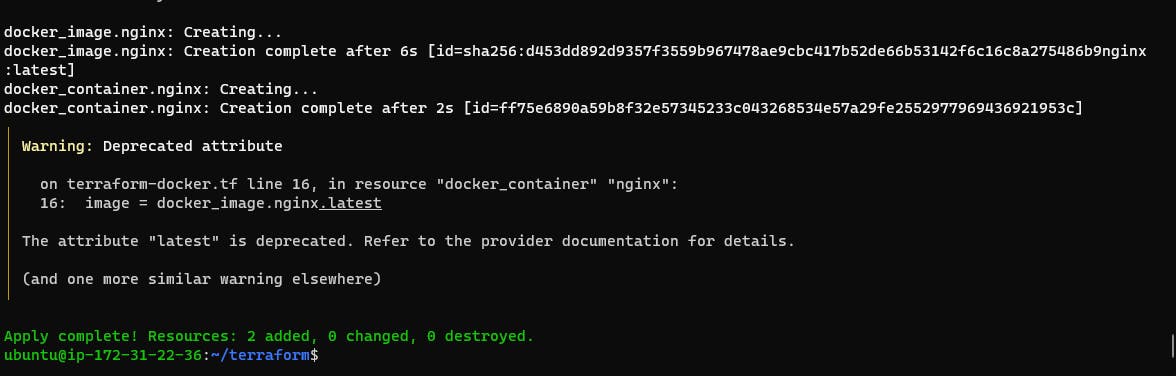
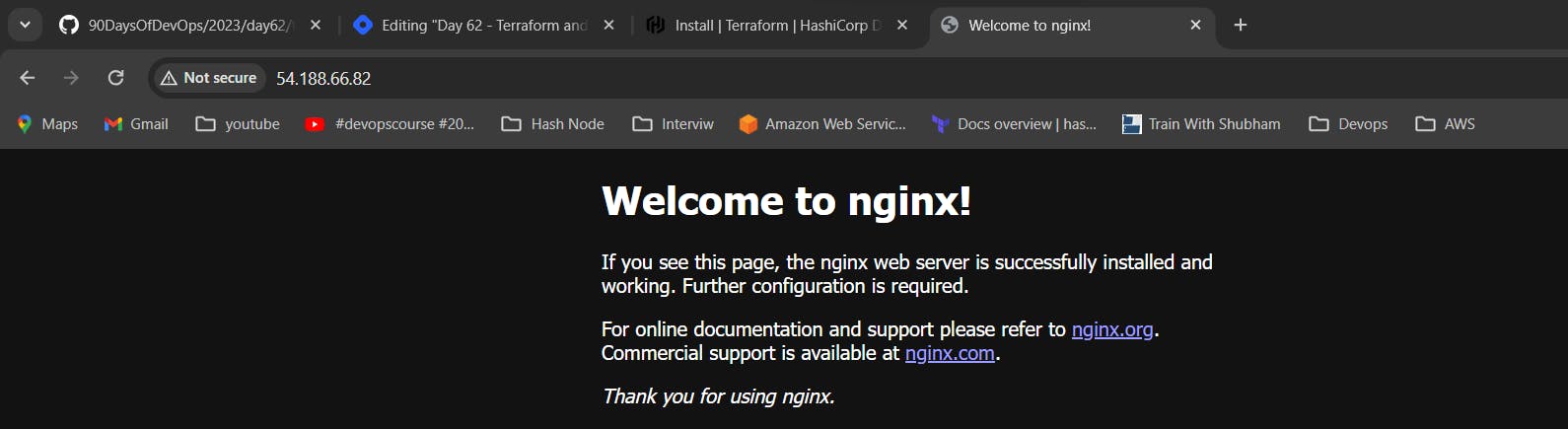
- Browse public IP address of EC2 instance
About the author
Hey there! I'm currently working as an Associate DevOps Engineer, and I'm diving into popular DevOps tools like Azure Devops,Linux, Docker, Kubernetes,Terraform and Ansible. I'm also on the learning track with AWS certifications to amp up my cloud game. If you're into tech collaborations and exploring new horizons, let's connect!
Comments
Join the discussionNo comments yet. Be the first to comment.



